Optimize Your Design Projects with AutoTURN’s Vehicle Swept Path Analysis
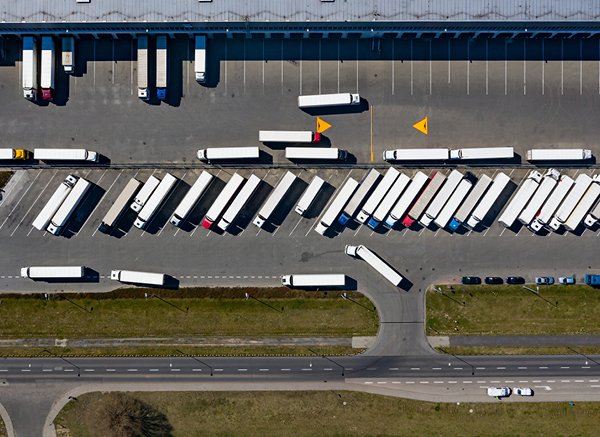
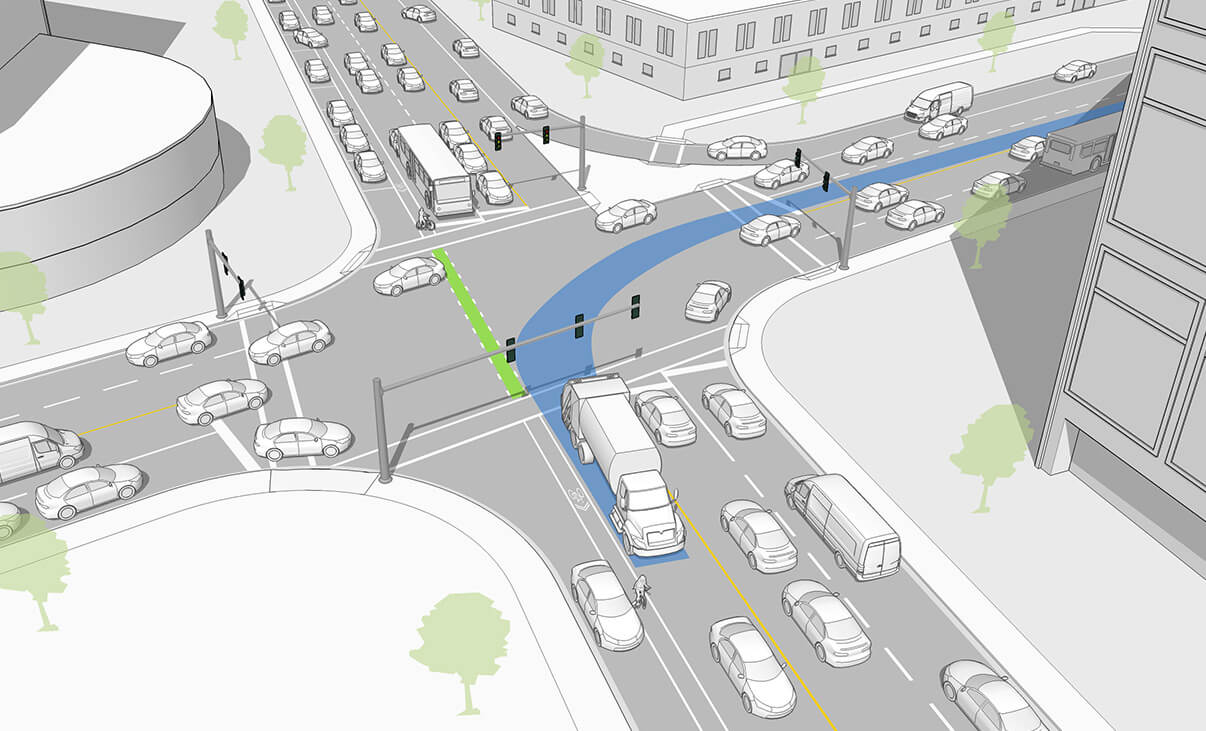
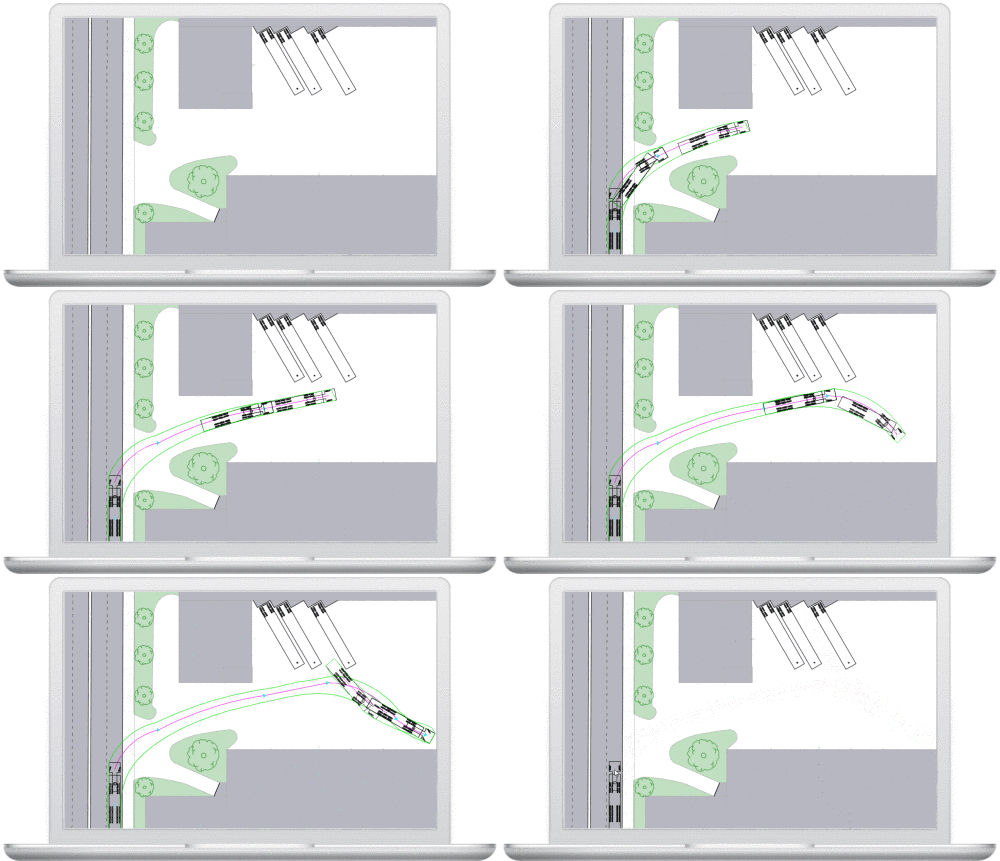
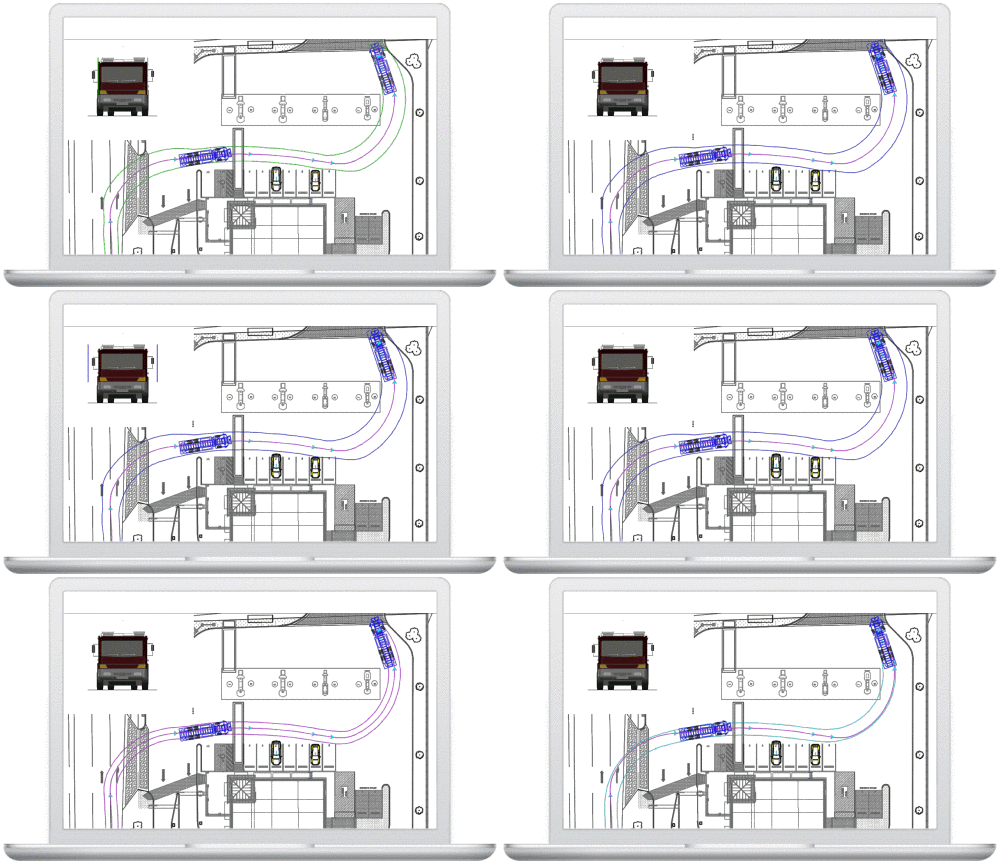
AutoTURN® is a comprehensive swept path software where you can easily check your site, intersection, loading docks and road designs to ensure all types of vehicles can move through safely and efficiently.
From bicycles to cars, to buses and trucks, to heavy haul industrial transport—you can quickly test multiple maneuvers and be assured your designs are accurate and valid. Our patented technology allows you to automate processes, saving you time and increasing productivity. Enhanced review, presentation and reporting features help you get projects approved and expand the value of your work.
Choose the right version for your swept path analysis needs
Category
AutoTURN Standard
AutoTURN Pro Advanced
AutoTURN Online Web
Swept Path Simulation
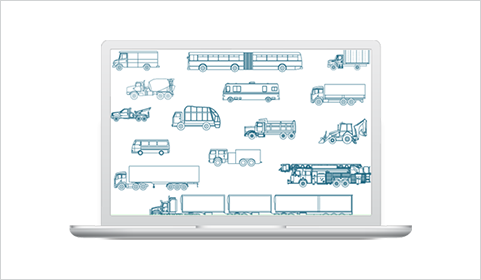
Vehicle Library
Standard
900+ MVL / 1700+ SVL
Selected
Custom Vehicles
Limited
3D Analysis
Limited
Bicycle Simulation
12+ types
IntelliPath Automation
Limited
Reporting & Animations
Basic
Full
Basic
Feature
AutoTURN
AutoTURN Pro
AutoTURN Online
Sight Distance Analysis (2D/3D)
Partial
3D Clearance & Conflict Detection
Limited
Oversized/Overload Transport
Basic
Advanced
Basic
Parking Design
Turning Templates
Limited
Manufacturer Vehicle Library
Annual Library Updates
Aspect
AutoTURN
AutoTURN Pro
AutoTURN Online
Platform Type
CAD Plugin
CAD Plugin
Web Browser
CAD Required
Yes
Yes
No
AutoCAD / Civil 3D
MicroStation Support
Cloud / Remote Access
Installation Required
Yes
Yes
No
Collaboration Ready
Use Case
AutoTURN
AutoTURN Pro
AutoTURN Online
Routine Site Access Design
Best
Urban / Complex Intersections
Partial
Best
Bicycle & Pedestrian Paths
Best
Heavy/Oversized Transport
Basic
Best
Basic
Quick Planning / Concept Phase
Moderate
Moderate
Best
Parking Lot Design
Team Collaboration / Sharing
Best
Confidently analyze design projects involving vehicle access checks, clearances, swept path maneuvers, and more in a 3D environment.
The leading vehicle swept path analysis and turning simulation CAD software including essential features to automate processes.
The premier web browser solution for performing vehicle turning simulations and other functions included in AutoTURN.
AutoTurn Features
Turning Analysis
Simulate Standard & Multi-Part Vehicles Maneuvers
Ensure your design works – manually ‘drive’ forward or reverse for a standard or manufactured vehicle of your choice including multi-part vehicles (e.g., trucks and trailers) as well as vehicles with high steering lock angles (e.g., forklifts), while controlling the speed, super elevation, lateral friction, and turn radius. Create realistic reverse maneuvers using the push from prime mover method or the classic pull method.
Edit Simulation Paths
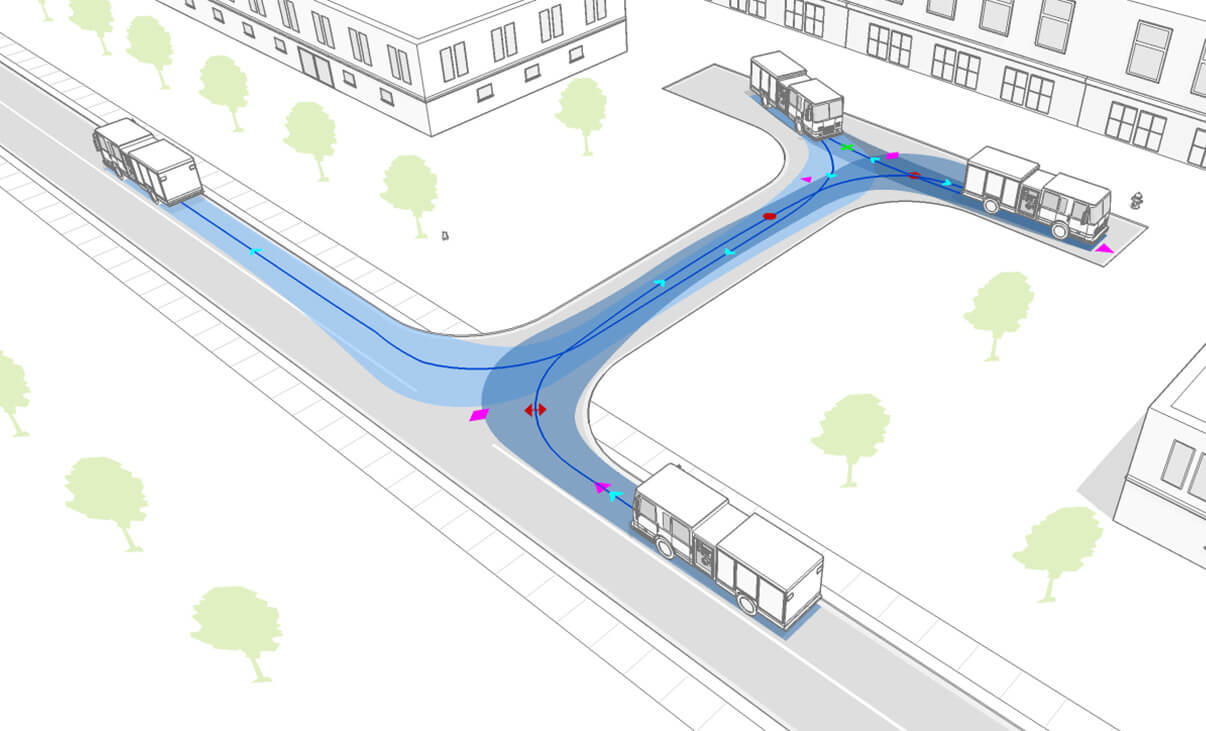
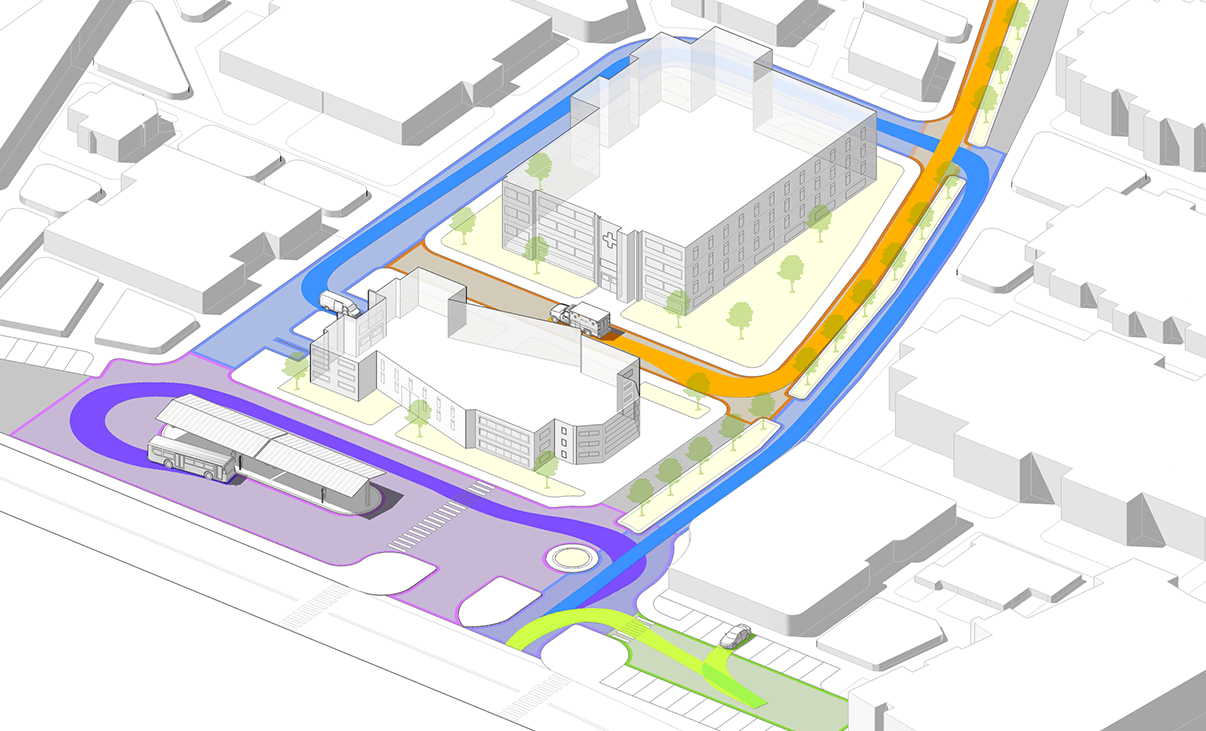
Assess the turning space and swept path, required for vehicles to maneuver safely and efficiently, and easily make small adjustments by dragging the nodes to control different parameters of the path no matter if they are passenger vehicles, buses, articulated trucks, and wheel loaders.
Sight, Speed and Clearance Analysis
Check Sight Distance
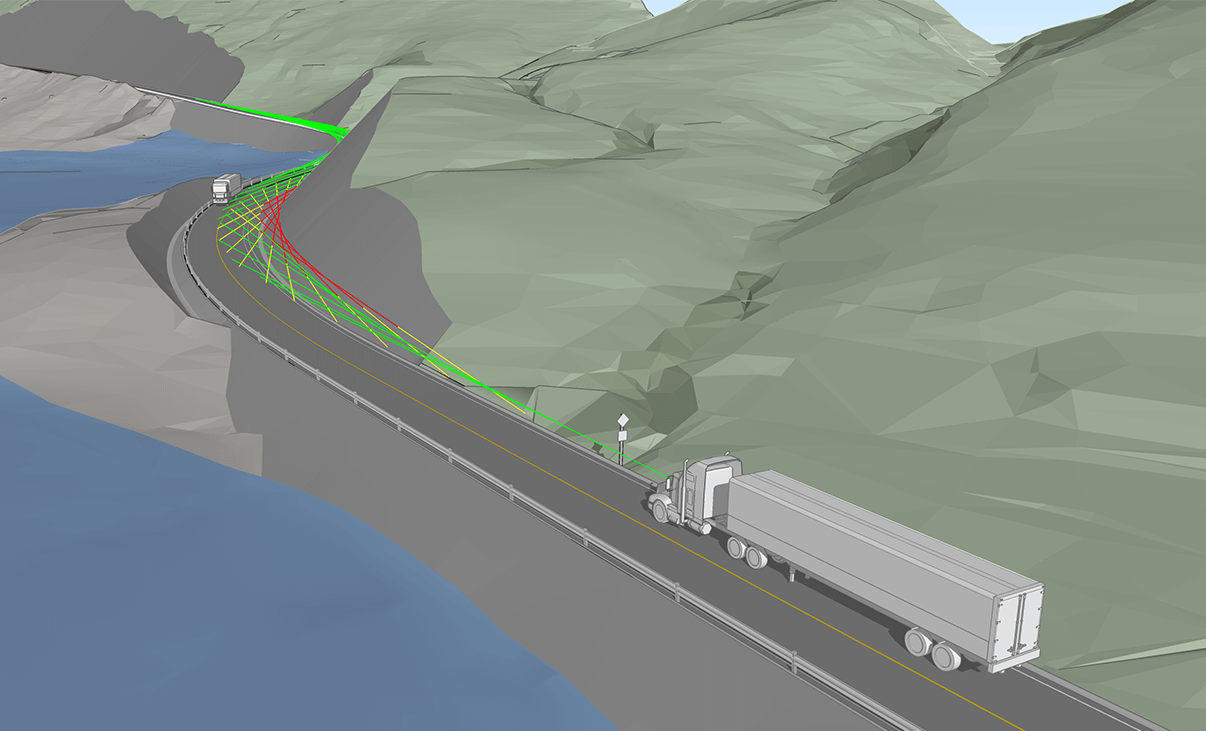
Ensure drivers have enough time to notice and react to potential conflicts on the road, with sightline checks, stopping sight distance, interval distances, and object height analysis. Our 2D analysis can help identify blind spots that may be compromised by obstructed sightlines at intersections, terrain obstructions, and others alike.
Analyze Vertical Profile
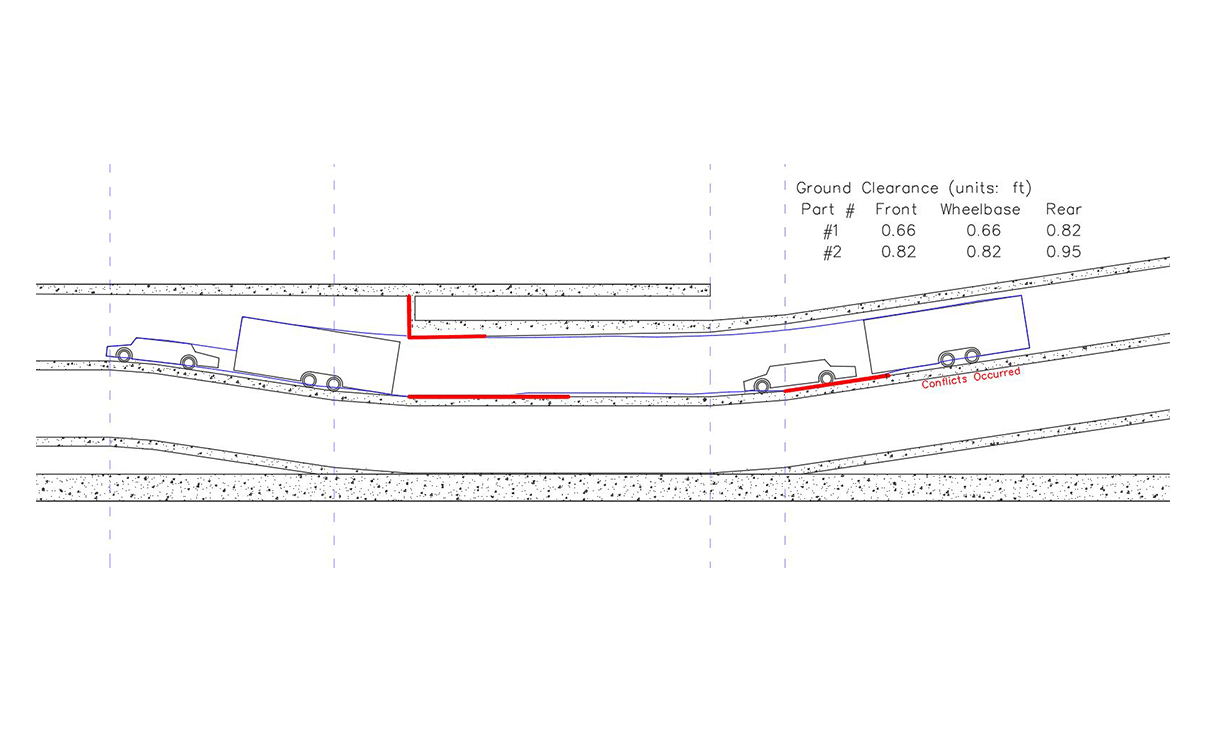
View a vehicle’s clearance in a vertical profile for a simple driveway or ramp. Detect conflict or clearance issues between the vehicle body and terrain, or the vehicle roofline and overhead obstacles.
Reverse engineer the maximum uphill and downhill slopes and grade-break limits based on the ground clearances of selected design vehicles
Check Speed Profiles
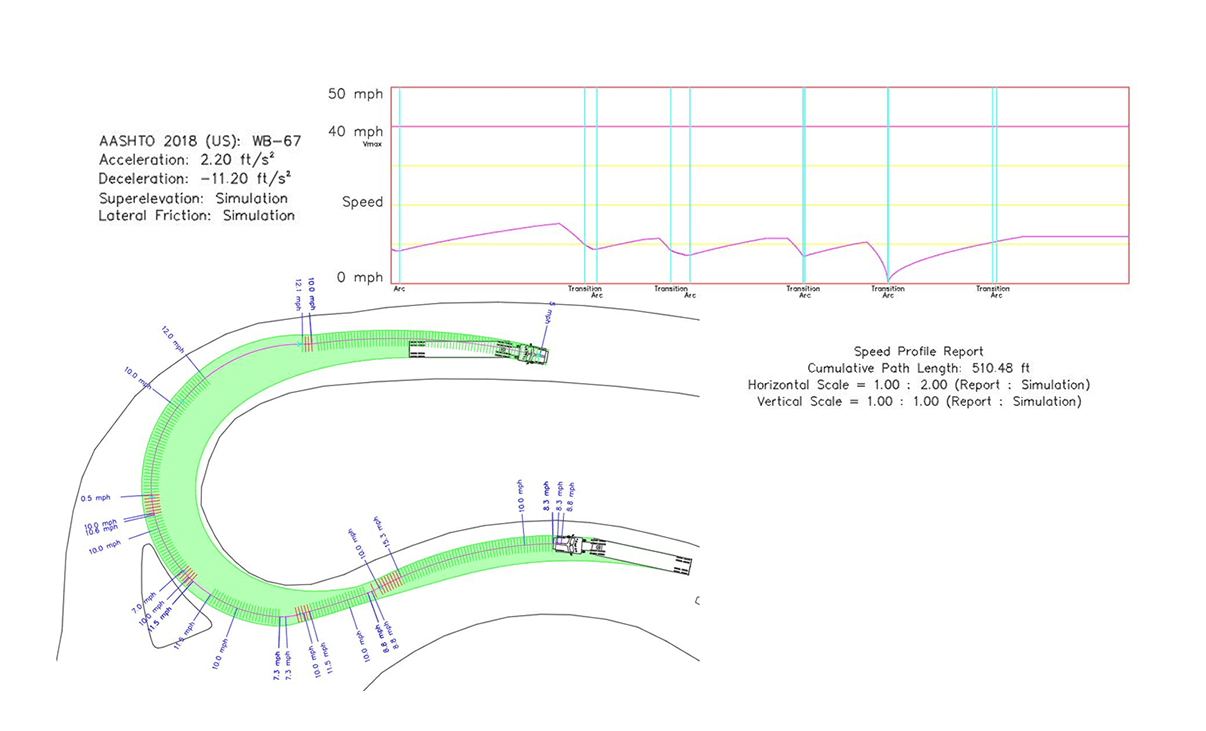
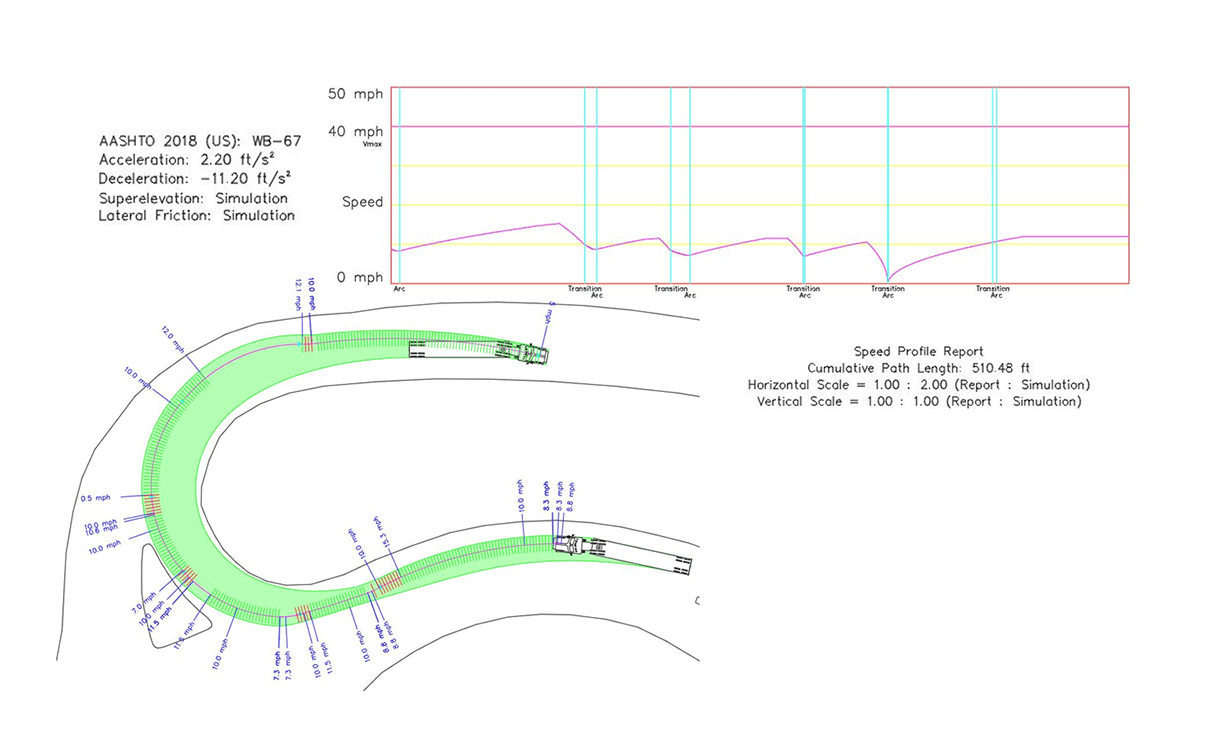
Analyze the vehicle’s speed based on its centerline trajectory or path. The analysis considers the acceleration, deceleration, and lateral friction along a simulated path.
Vehicles
Libraries
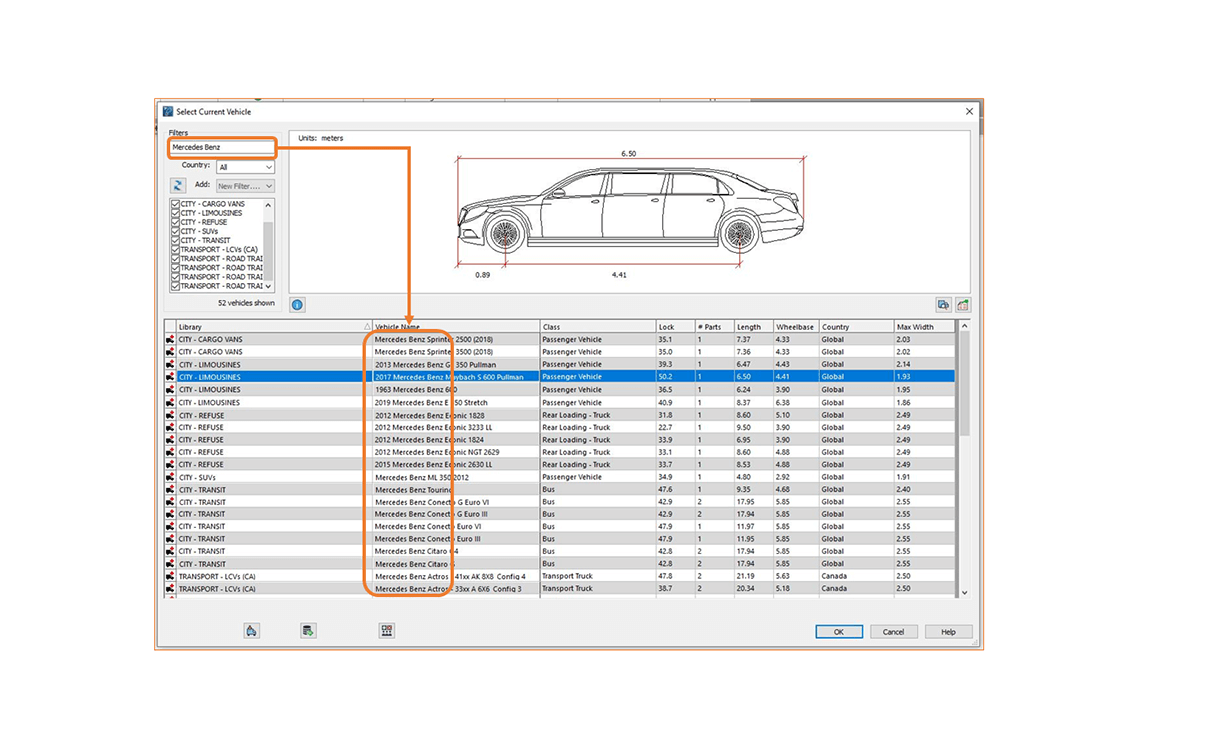
With over 1.700 standard vehicles, quickly search by library name and apply filters to refine results or set custom vehicle groups that match your country or local area design guidelines. Libraries are updated regularly to comply with guidelines for different countries, including Canada, United States, Australia, Germany, France, United Kingdom, the Netherlands, Argentina, Brazil and Austria.
Create Custom Vehicles
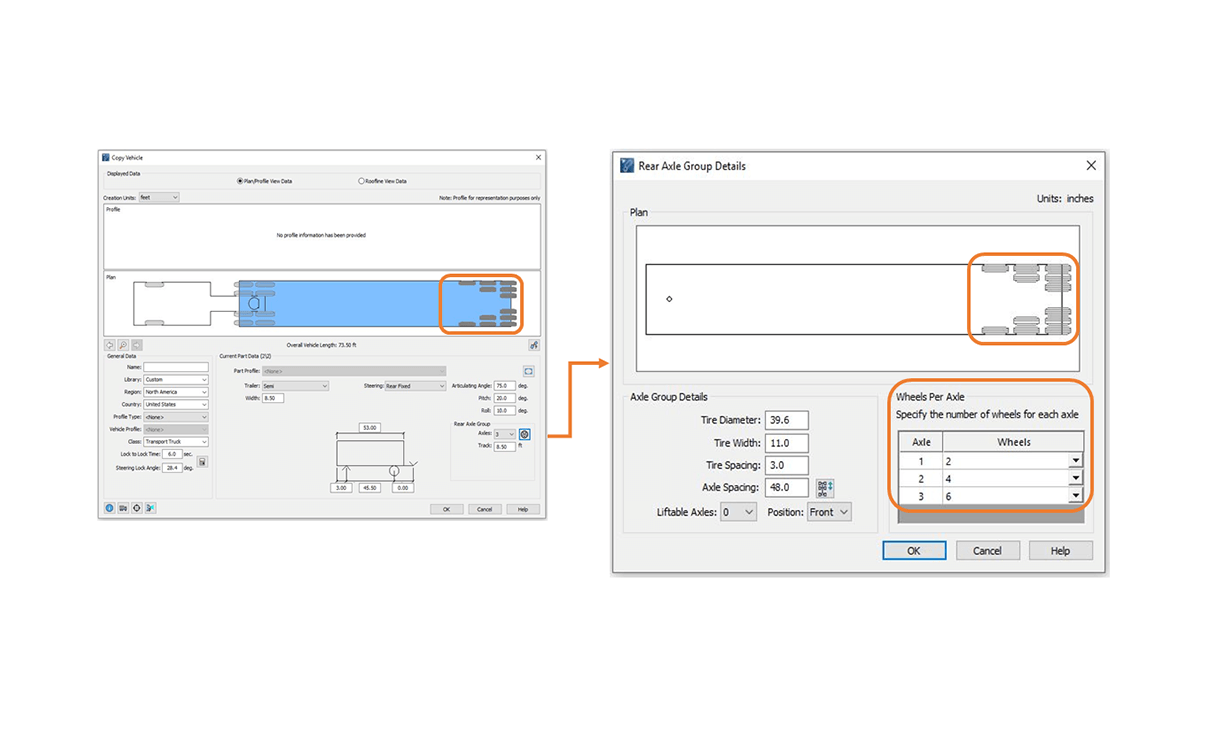
Can’t find the vehicle you need? – Easily create custom vehicles by modifying a copy of an existing vehicle or by specifying each component and its characteristic individually, add user-defined dimensions for filleted vehicle radii and chamfered corners.
Oversized & Overload Transport
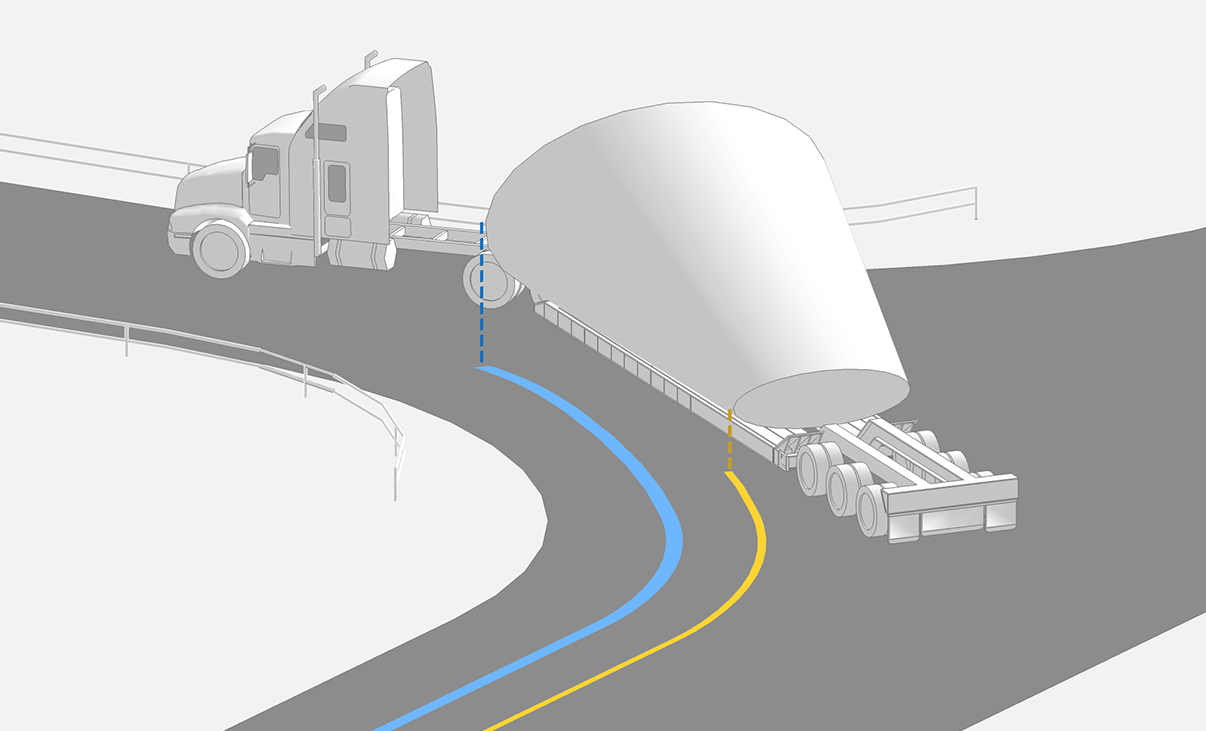
In 2D designs, evaluate the turning space and swept path of vehicles hauling oversize or overweight loads to check for lateral clearance from elements like structures, light poles, and utilities.
Steering Linkages
Define steering linkage between steering axle groups and vary wheels per axle to match specifications.
Accurately model electronically steered systems such as trailers carrying wind tower and wind blade sections, and vehicles transporting transformers, or use the manual steering mode, to control the steering of rear steerable axles to replicate remotely controlled steering systems.
Reporting and Presentation
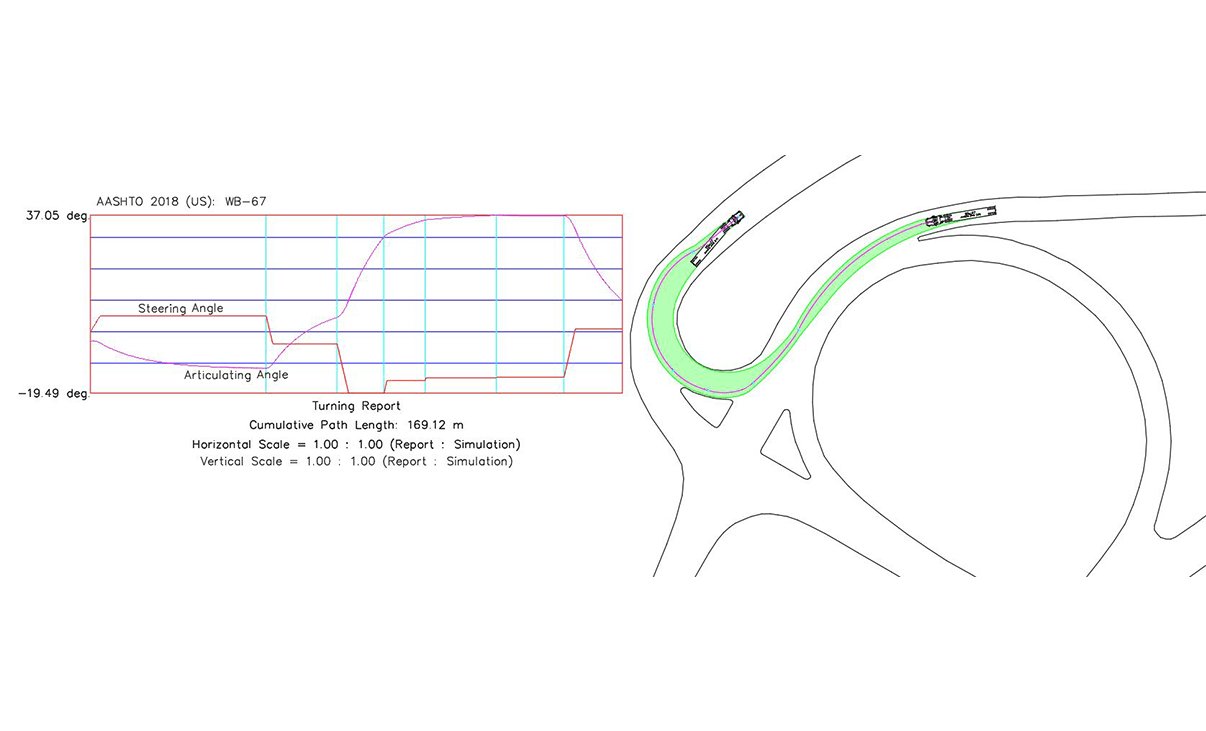
Generate Turning Report
Produce detailed reports so that you can learn more about your simulation and identify key points so peers or stakeholders can conduct reviews. Configure the display of your simulations to match your client’s requirements or define the standards of the display by setting separate elements on specified layers.
Produce Speed Profiles
Create a speed profile report that assesses vehicle speeds, considering acceleration, deceleration, and lateral friction along a simulated path.
Generate a Turning Template
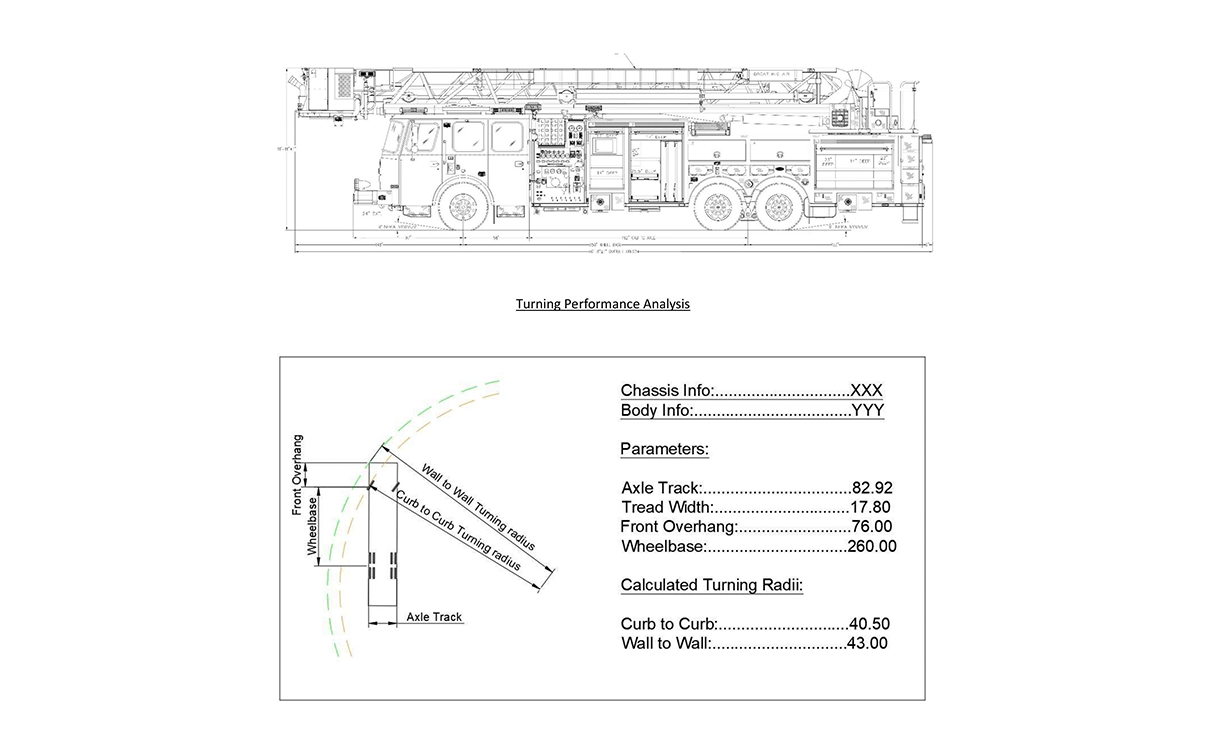
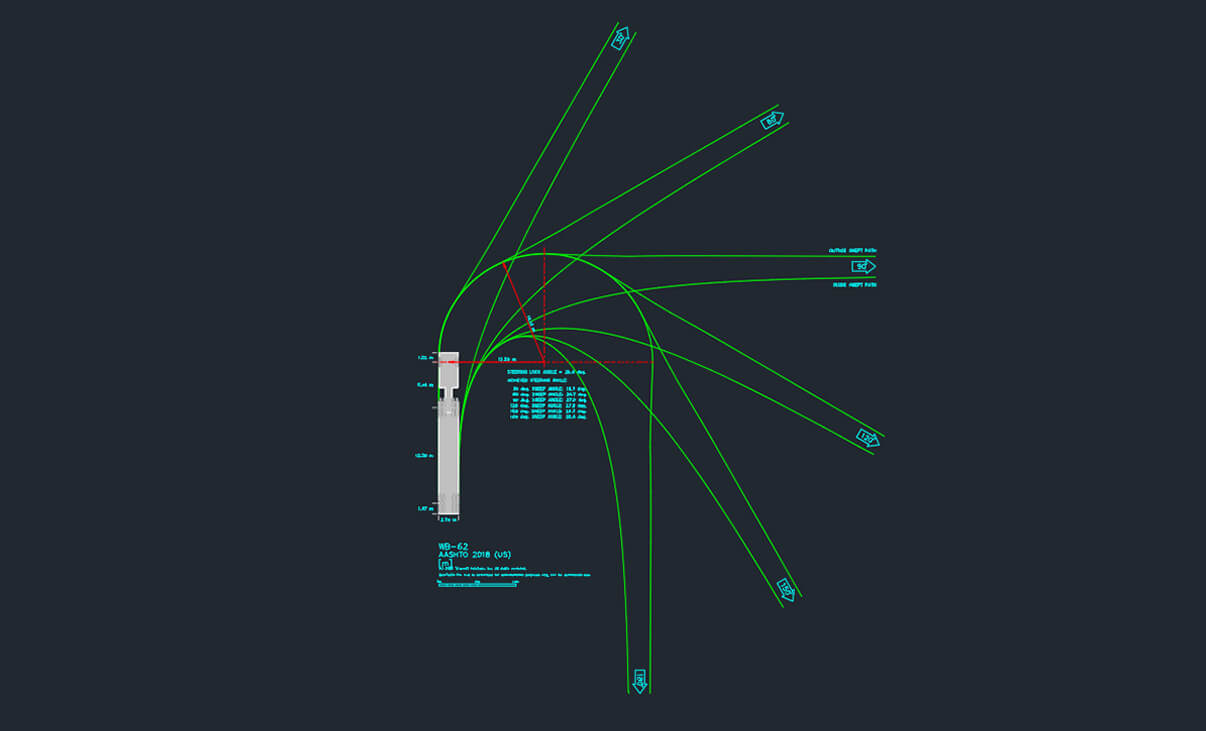
Generate a turning template displaying the key angles of the design vehicle used for the analysis to document your work.
Record and Play Animation
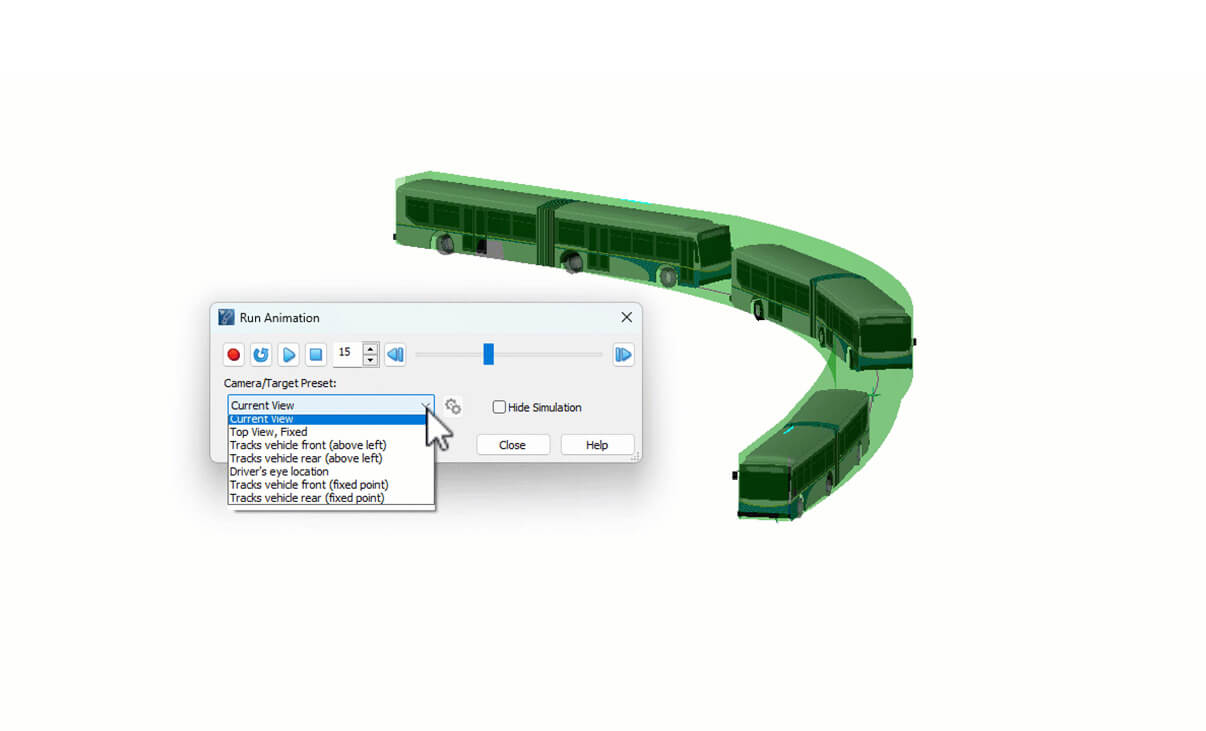
Record vehicle maneuvers and simulation videos to share with stakeholders. Control simulation playback and watch from different perspectives using the preset cameras.
AutoTurn Pro Features
Turning Analysis
Simulate Standard & Multi-Part Vehicles Maneuvers
Ensure your design works – manually ‘drive’ forward or reverse for a standard or manufactured vehicle of your choice including multi-part vehicles (e.g., trucks and trailers) as well as vehicles with high steering lock angles (e.g., forklifts), while controlling the speed, super elevation, lateral friction, and turn radius. Create realistic reverse maneuvers using the push from prime mover method or the classic pull method.
Edit Simulation Paths
Assess the turning space and swept path, required for vehicles to maneuver safely and efficiently, and easily make small adjustments by dragging the nodes to control different parameters of the path no matter if they are passenger vehicles, buses, articulated trucks, and wheel loaders.
IntelliPath®
Let AutoTURN do the heavy lifting – automatically solve possible drive paths trajectories based on the available space and the desired speed.
Simulate Bicycle Movements
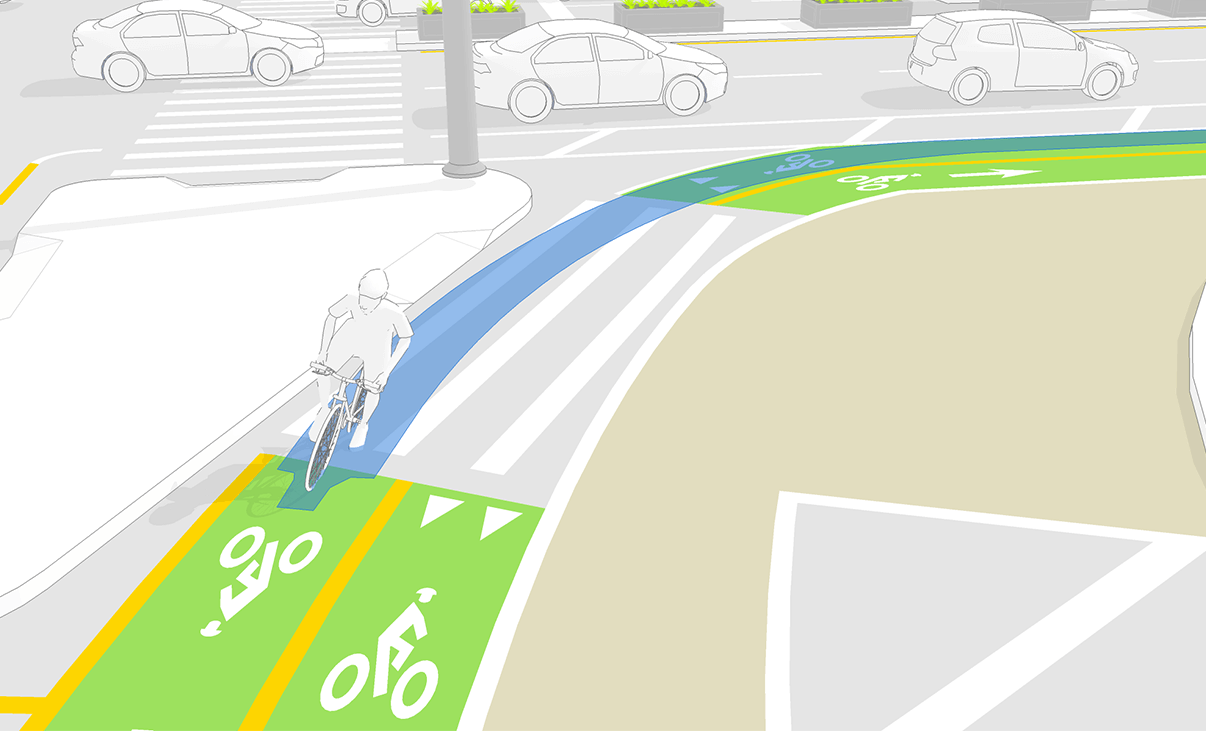
Use over 12 different cycle types from design guidelines worldwide (e.g. bikes with trailers, recumbent cycles, scooters) to simulate movements and ensure on-street and off-street design projects safely accommodate the turning space required.
Sight, Speed and Clearance Analysis
Check Sight Distance
Ensure drivers have enough time to notice and react to potential conflicts on the road, with sightline checks, stopping sight distance, interval distances, and object height analysis. Our 2D analysis can help identify blind spots that may be compromised by obstructed sightlines at intersections, terrain obstructions, and others alike.
Analyze Vertical Profile
View a vehicle’s clearance in a vertical profile for a simple driveway or ramp. Detect conflict or clearance issues between the vehicle body and terrain, or the vehicle roofline and overhead obstacles.
Reverse engineer the maximum uphill and downhill slopes and grade-break limits based on the ground clearances of selected design vehicles
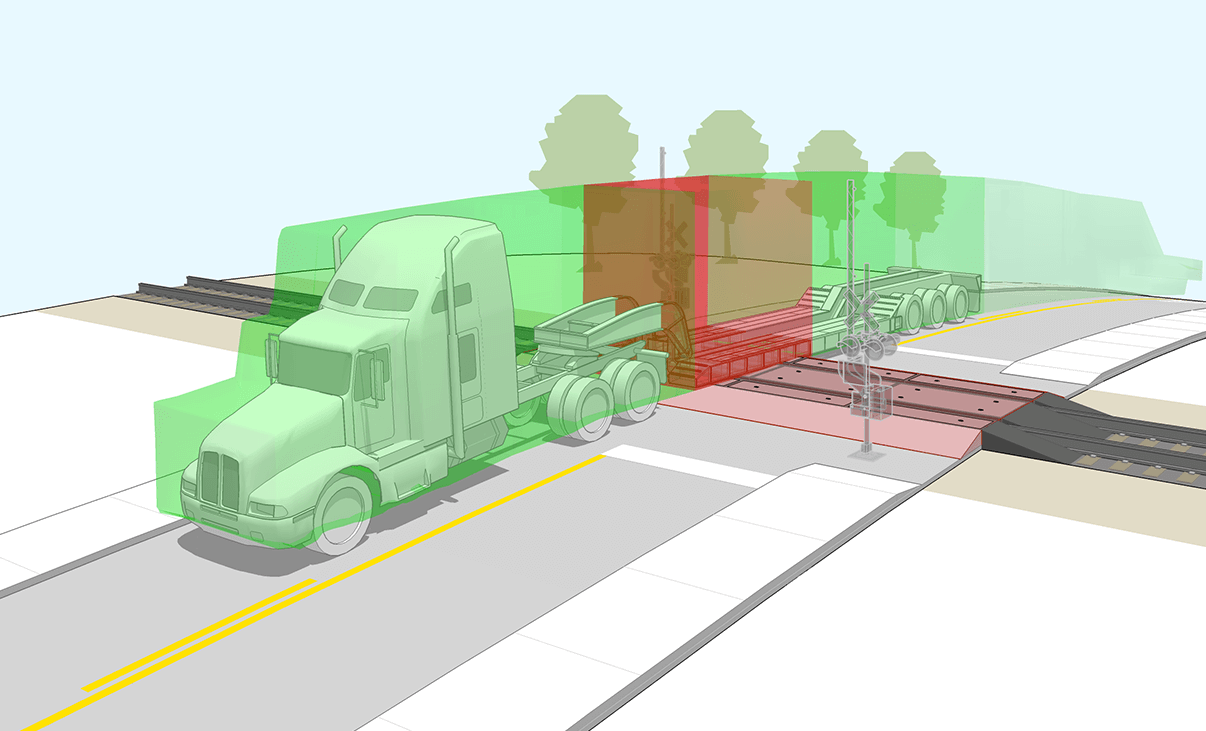
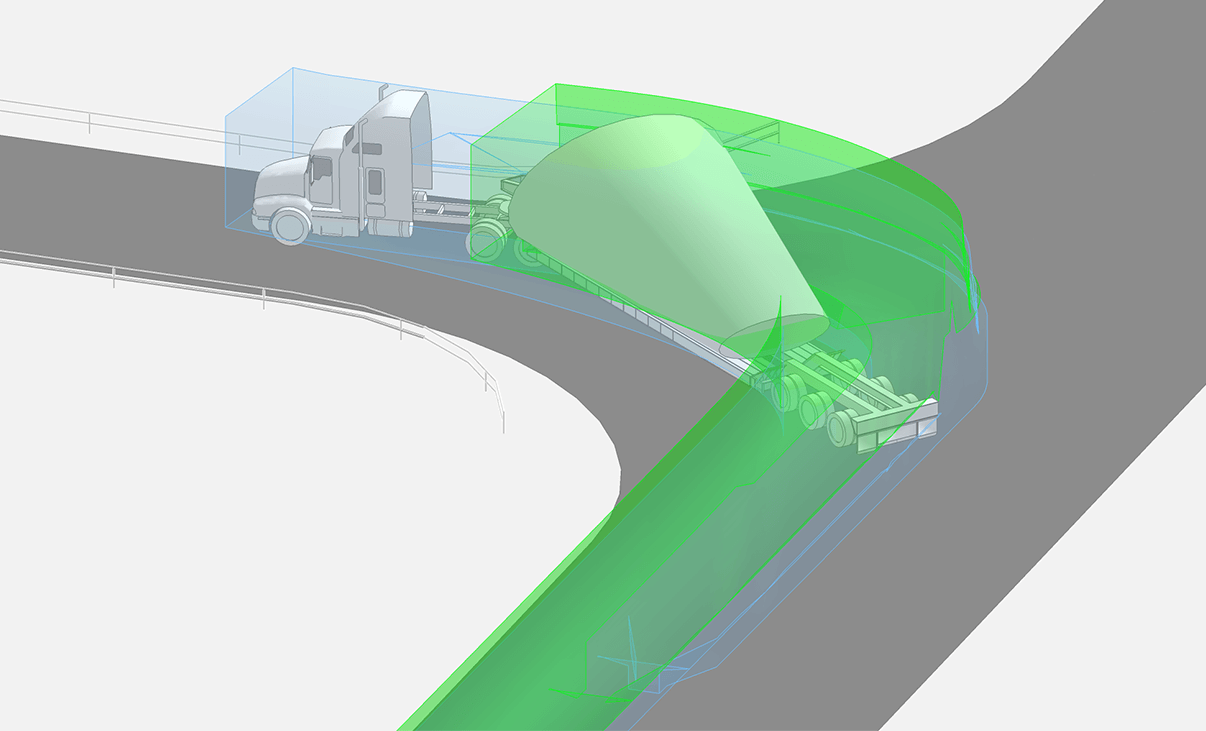
Analyze Clearances & Envelopes In 3D
Highlight potential conflicts between vehicles and terrain or overhead obstructions. Instantly see a 3D swept path envelope, which models the vehicle’s underside and roofline, while considering the yaw, pitch and roll limits as the vehicle interacts with the terrain. Detect conflicts that might not be apparent with assessing clearance on a vertical profile.
Check Speed Profiles
Analyze the vehicle’s speed based on its centerline trajectory or path. The analysis considers the acceleration, deceleration, and lateral friction along a simulated path.
Vehicles
Libraries
With over 1.700 standard vehicles, quickly search by library name and apply filters to refine results or set custom vehicle groups that match your country or local area design guidelines. Libraries are updated regularly to comply with guidelines for different countries, including Canada, United States, Australia, Germany, France, United Kingdom, the Netherlands, Argentina, Brazil and Austria.
Create Custom Vehicles
Can’t find the vehicle you need? – Easily create custom vehicles by modifying a copy of an existing vehicle or by specifying each component and its characteristic individually, add user-defined dimensions for filleted vehicle radii and chamfered corners.
Oversized & Overload Transport
In 2D & 3D designs, evaluate the turning space and swept path of vehicles hauling oversize or overweight loads to check for lateral clearance from elements like structures, light poles, and utilities.
Steering Linkages
Define steering linkage between steering axle groups and vary wheels per axle to match specifications.
Accurately model electronically steered systems such as trailers carrying wind tower and wind blade sections, and vehicles transporting transformers, or use the manual steering mode, to control the steering of rear steerable axles to replicate remotely controlled steering systems.
Reporting and Presentation
Generate Turning Report
Produce detailed reports so that you can learn more about your simulation and identify key points so peers or stakeholders can conduct reviews. Configure the display of your simulations to match your client’s requirements or define the standards of the display by setting separate elements on specified layers.
Produce Speed Profiles
Create a speed profile report that assesses vehicle speeds, considering acceleration, deceleration, and lateral friction along a simulated path.
Generate a Turning Template
Generate a turning template displaying the key angles of the design vehicle used for the analysis to document your work.
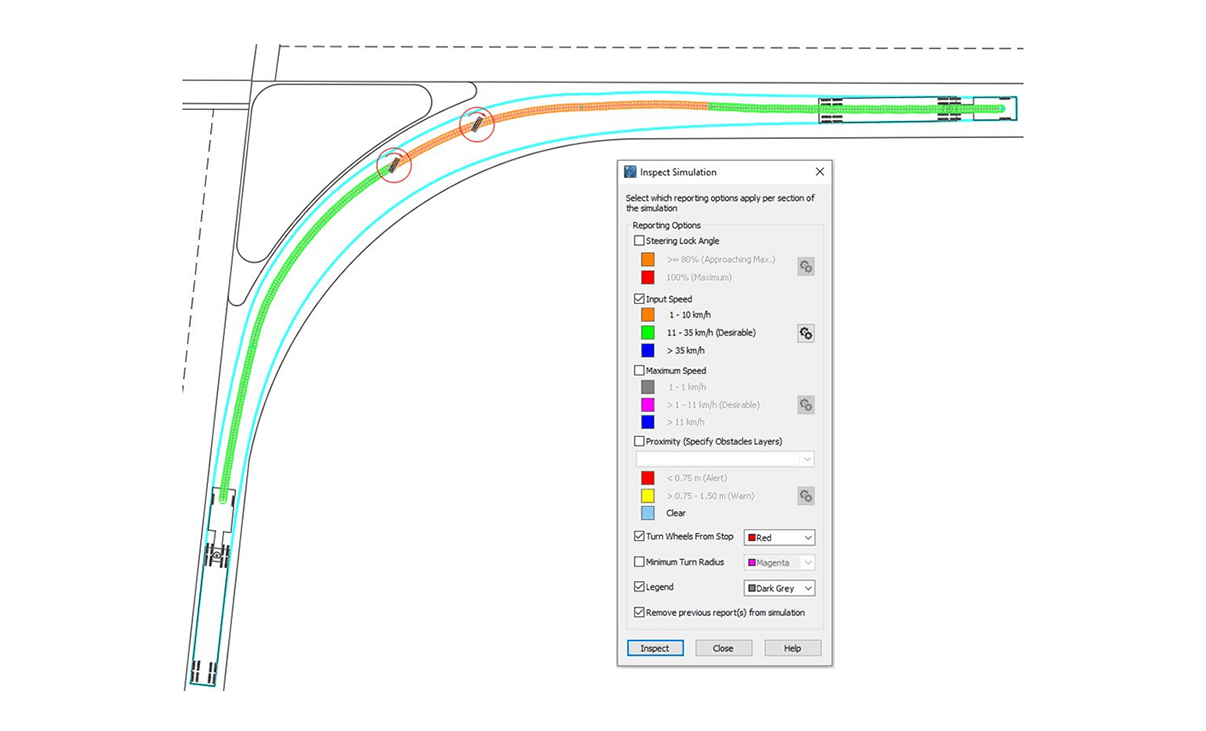
Inspect Simulation
Review manually produced simulations to ensure they are realistic and meet design criteria. Check for unrealistic and abrupt steering and view a vehicle’s proximity to other vehicles and objects.
Record and Play Animation
Record vehicle maneuvers and simulation videos to share with stakeholders. Control simulation playback and watch from different perspectives using the preset cameras.
AutoTURN Online Features
Powerful Features
Over 2800 Standard & Manufacturer-based Vehicles
Now supporting rear- and front-and-rear-steered vehicles
Cars, Small Trucks & SUVs
Buses: Coaches, Recreational (RV), Transit
Service Vehicles: Snowplows, Cargo Vans
Good Vehicles & Trucks: Delivery, Moving and Construction
Heavy Goods Vehicles: Semi-trailers, Car Carriers, Lowboys
Light Commercial Vehicles: Cargo Van, Box Containers
Note: AutoTURN Online does not currently support the creation of custom vehicles
Simulate Forward and Reverse Maneuvers
Perform forward and reverse vehicle movements, including front-, rear-, and front-and-rear-steering, to ensure vehicles have sufficient space to circulate around an area safely and efficiently.
Evaluate the tightest turns at low speeds to determine if the vehicle can maneuver smoothly.
Most common simulations performed are:
Backing up RVs and service trailers
Docking trucks and setting up loading zones
Navigating or barricaded event sites
Planning parking and staging areas for events, concerts, or film sets
Verifying clear paths in temporary layouts or behind-the-scene zones
Vehicle Clearance Envelope and Display Option
Display and analyze the various vehicle envelopes generated by different components of the vehicle to ensure your design allows sufficient space for vehicle circulation and maneuver in the design area. Export your analysis to be inserted into your design for the approval process.
Realistic Vehicle Models in Plan View
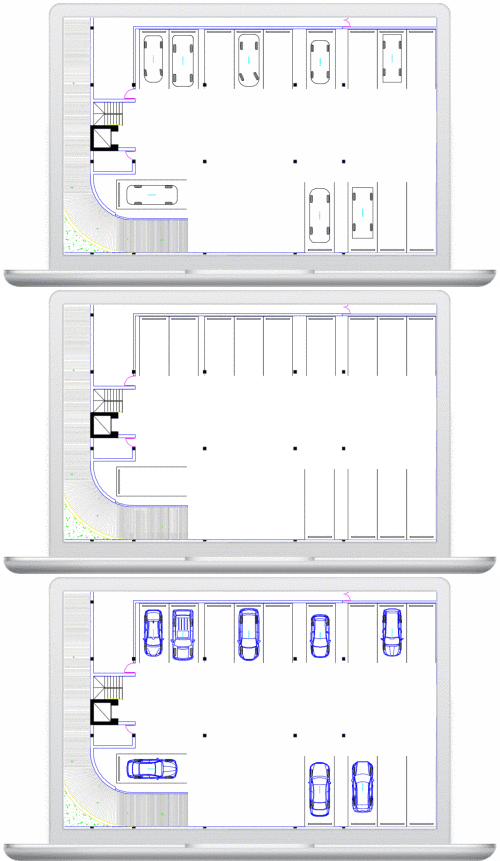
Improve client presentations with realistic vehicle outlines — available for select models — to convey turning analysis and parked vehicles.
AutoTurn Features
Turning Analysis
Simulate Standard & Multi-Part Vehicles Maneuvers
Ensure your design works – manually ‘drive’ forward or reverse for a standard or manufactured vehicle of your choice including multi-part vehicles (e.g., trucks and trailers) as well as vehicles with high steering lock angles (e.g., forklifts), while controlling the speed, super elevation, lateral friction, and turn radius. Create realistic reverse maneuvers using the push from prime mover method or the classic pull method.
Edit Simulation Paths
Assess the turning space and swept path, required for vehicles to maneuver safely and efficiently, and easily make small adjustments by dragging the nodes to control different parameters of the path no matter if they are passenger vehicles, buses, articulated trucks, and wheel loaders.
Sight, Speed and Clearance Analysis
Check Sight Distance
Ensure drivers have enough time to notice and react to potential conflicts on the road, with sightline checks, stopping sight distance, interval distances, and object height analysis. Our 2D analysis can help identify blind spots that may be compromised by obstructed sightlines at intersections, terrain obstructions, and others alike.
Analyze Vertical Profile
View a vehicle’s clearance in a vertical profile for a simple driveway or ramp. Detect conflict or clearance issues between the vehicle body and terrain, or the vehicle roofline and overhead obstacles.
Reverse engineer the maximum uphill and downhill slopes and grade-break limits based on the ground clearances of selected design vehicles
Check Speed Profiles
Analyze the vehicle’s speed based on its centerline trajectory or path. The analysis considers the acceleration, deceleration, and lateral friction along a simulated path.
Vehicles
Libraries
With over 1.700 standard vehicles, quickly search by library name and apply filters to refine results or set custom vehicle groups that match your country or local area design guidelines. Libraries are updated regularly to comply with guidelines for different countries, including Canada, United States, Australia, Germany, France, United Kingdom, the Netherlands, Argentina, Brazil and Austria.
Create Custom Vehicles
Can’t find the vehicle you need? – Easily create custom vehicles by modifying a copy of an existing vehicle or by specifying each component and its characteristic individually, add user-defined dimensions for filleted vehicle radii and chamfered corners.
Oversized & Overload Transport
In 2D designs, evaluate the turning space and swept path of vehicles hauling oversize or overweight loads to check for lateral clearance from elements like structures, light poles, and utilities.
Steering Linkages
Define steering linkage between steering axle groups and vary wheels per axle to match specifications.
Accurately model electronically steered systems such as trailers carrying wind tower and wind blade sections, and vehicles transporting transformers, or use the manual steering mode, to control the steering of rear steerable axles to replicate remotely controlled steering systems.
Reporting and Presentation
Generate Turning Report
Produce detailed reports so that you can learn more about your simulation and identify key points so peers or stakeholders can conduct reviews. Configure the display of your simulations to match your client’s requirements or define the standards of the display by setting separate elements on specified layers.
Produce Speed Profiles
Create a speed profile report that assesses vehicle speeds, considering acceleration, deceleration, and lateral friction along a simulated path.
Generate a Turning Template
Generate a turning template displaying the key angles of the design vehicle used for the analysis to document your work.
Record and Play Animation
Record vehicle maneuvers and simulation videos to share with stakeholders. Control simulation playback and watch from different perspectives using the preset cameras.
AutoTurn Pro Features
Turning Analysis
Simulate Standard & Multi-Part Vehicles Maneuvers
Ensure your design works – manually ‘drive’ forward or reverse for a standard or manufactured vehicle of your choice including multi-part vehicles (e.g., trucks and trailers) as well as vehicles with high steering lock angles (e.g., forklifts), while controlling the speed, super elevation, lateral friction, and turn radius. Create realistic reverse maneuvers using the push from prime mover method or the classic pull method.
Edit Simulation Paths
Assess the turning space and swept path, required for vehicles to maneuver safely and efficiently, and easily make small adjustments by dragging the nodes to control different parameters of the path no matter if they are passenger vehicles, buses, articulated trucks, and wheel loaders.
IntelliPath®
Let AutoTURN do the heavy lifting – automatically solve possible drive paths trajectories based on the available space and the desired speed.
Simulate Bicycle Movements
Use over 12 different cycle types from design guidelines worldwide (e.g. bikes with trailers, recumbent cycles, scooters) to simulate movements and ensure on-street and off-street design projects safely accommodate the turning space required.
Sight, Speed and Clearance Analysis
Check Sight Distance
Ensure drivers have enough time to notice and react to potential conflicts on the road, with sightline checks, stopping sight distance, interval distances, and object height analysis. Our 2D analysis can help identify blind spots that may be compromised by obstructed sightlines at intersections, terrain obstructions, and others alike.
Analyze Vertical Profile
View a vehicle’s clearance in a vertical profile for a simple driveway or ramp. Detect conflict or clearance issues between the vehicle body and terrain, or the vehicle roofline and overhead obstacles.
Reverse engineer the maximum uphill and downhill slopes and grade-break limits based on the ground clearances of selected design vehicles
Analyze Clearances & Envelopes In 3D
Highlight potential conflicts between vehicles and terrain or overhead obstructions. Instantly see a 3D swept path envelope, which models the vehicle’s underside and roofline, while considering the yaw, pitch and roll limits as the vehicle interacts with the terrain. Detect conflicts that might not be apparent with assessing clearance on a vertical profile.
Check Speed Profiles
Analyze the vehicle’s speed based on its centerline trajectory or path. The analysis considers the acceleration, deceleration, and lateral friction along a simulated path.
Vehicles
Libraries
With over 1.700 standard vehicles, quickly search by library name and apply filters to refine results or set custom vehicle groups that match your country or local area design guidelines. Libraries are updated regularly to comply with guidelines for different countries, including Canada, United States, Australia, Germany, France, United Kingdom, the Netherlands, Argentina, Brazil and Austria.
Create Custom Vehicles
Can’t find the vehicle you need? – Easily create custom vehicles by modifying a copy of an existing vehicle or by specifying each component and its characteristic individually, add user-defined dimensions for filleted vehicle radii and chamfered corners.
Oversized & Overload Transport
In 2D & 3D designs, evaluate the turning space and swept path of vehicles hauling oversize or overweight loads to check for lateral clearance from elements like structures, light poles, and utilities.
Steering Linkages
Define steering linkage between steering axle groups and vary wheels per axle to match specifications.
Accurately model electronically steered systems such as trailers carrying wind tower and wind blade sections, and vehicles transporting transformers, or use the manual steering mode, to control the steering of rear steerable axles to replicate remotely controlled steering systems.
Reporting and Presentation
Generate Turning Report
Produce detailed reports so that you can learn more about your simulation and identify key points so peers or stakeholders can conduct reviews. Configure the display of your simulations to match your client’s requirements or define the standards of the display by setting separate elements on specified layers.
Produce Speed Profiles
Create a speed profile report that assesses vehicle speeds, considering acceleration, deceleration, and lateral friction along a simulated path.
Generate a Turning Template
Generate a turning template displaying the key angles of the design vehicle used for the analysis to document your work.
Inspect Simulation
Review manually produced simulations to ensure they are realistic and meet design criteria. Check for unrealistic and abrupt steering and view a vehicle’s proximity to other vehicles and objects.
Record and Play Animation
Record vehicle maneuvers and simulation videos to share with stakeholders. Control simulation playback and watch from different perspectives using the preset cameras.
AutoTURN Online Features
Powerful Features
Over 2800 Standard & Manufacturer-based Vehicles
Now supporting rear- and front-and-rear-steered vehicles
Cars, Small Trucks & SUVs
Buses: Coaches, Recreational (RV), Transit
Service Vehicles: Snowplows, Cargo Vans
Good Vehicles & Trucks: Delivery, Moving and Construction
Heavy Goods Vehicles: Semi-trailers, Car Carriers, Lowboys
Light Commercial Vehicles: Cargo Van, Box Containers
Note: AutoTURN Online does not currently support the creation of custom vehicles
Simulate Forward and Reverse Maneuvers
Perform forward and reverse vehicle movements, including front-, rear-, and front-and-rear-steering, to ensure vehicles have sufficient space to circulate around an area safely and efficiently.
Evaluate the tightest turns at low speeds to determine if the vehicle can maneuver smoothly.
Most common simulations performed are:
Backing up RVs and service trailers
Docking trucks and setting up loading zones
Navigating or barricaded event sites
Planning parking and staging areas for events, concerts, or film sets
Verifying clear paths in temporary layouts or behind-the-scene zones
Vehicle Clearance Envelope and Display Option
Display and analyze the various vehicle envelopes generated by different components of the vehicle to ensure your design allows sufficient space for vehicle circulation and maneuver in the design area. Export your analysis to be inserted into your design for the approval process.
Realistic Vehicle Models in Plan View
Improve client presentations with realistic vehicle outlines — available for select models — to convey turning analysis and parked vehicles.